
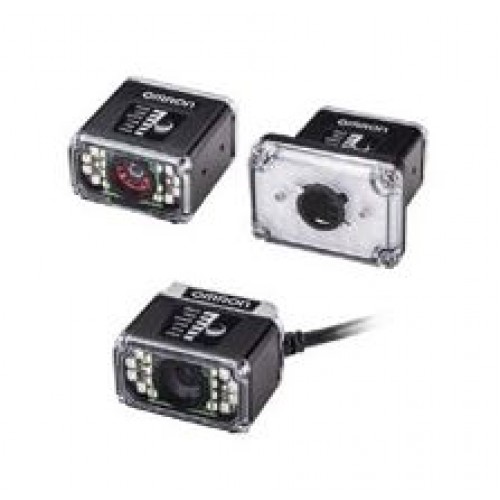
Traditional image inspections require one or more dedicated cameras to be paired with a code reader. Omron’s F430-F/F420-F Series Smart Camera bundles all this functionality into a single device, dramatically simplifying application design. The single-camera solution also reduces the initial investment, cuts down on wiring work and keeps maintenance costs to a minimum.
Simplify multiple-device inspection systems by using a single camera
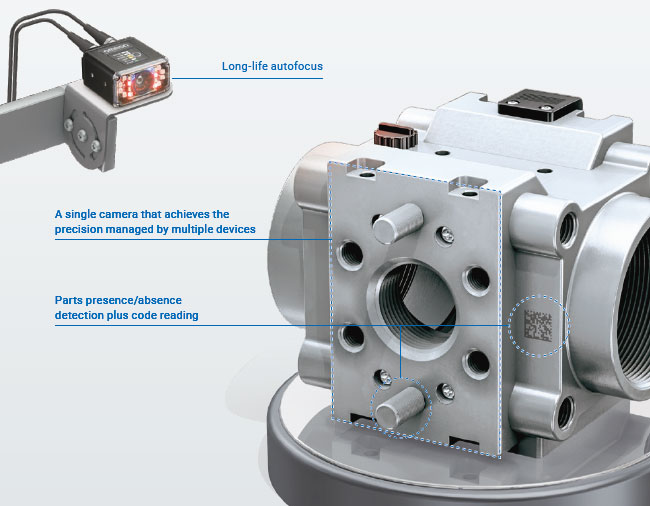
[Inspections | 01] Multiple cameras in one to enhance precision
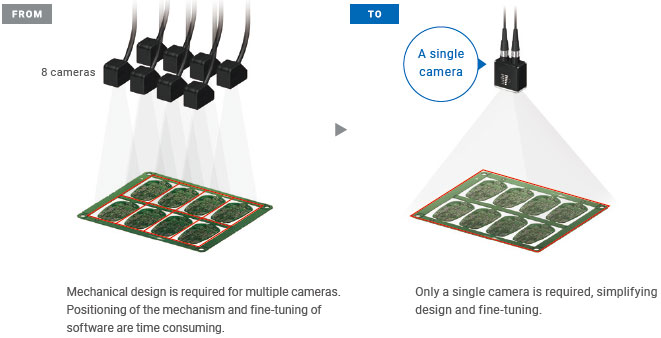
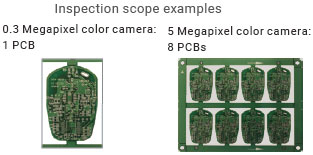
When using low-resolution cameras, multiple cameras are needed to divide a view in several sections and achieve the resolution required for inspections. The 5-megapixel color camera of the F430-F/F420-F Series delivers high-resolution imaging of multiple points with a single device.
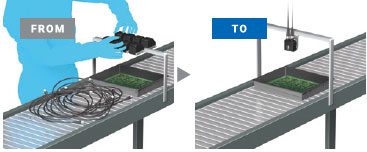
Positioning of a single camera only
A single camera can capture a wide view, eliminating the need to combine multiple cameras that require time-consuming positioning design and fine-tuning.
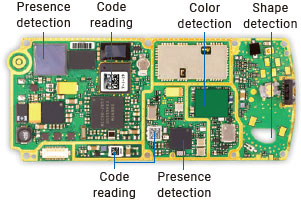
Presence, color and shape detection and reading at the same time
The F430-F/F420-F Series can simultaneously perform detection tasks (presence, color, and shape) and code reading within the field of view. You can easily increase inspection points for quality enhancement.
[Inspections | 02] A single camera performing powerful inspection tasks and code reading
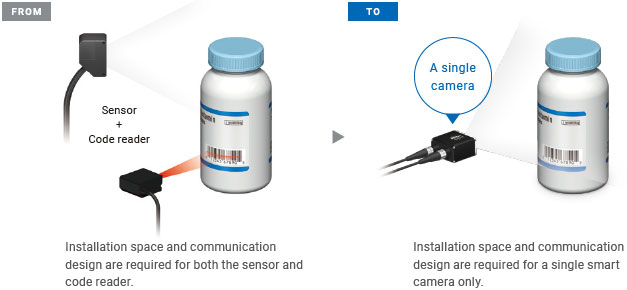
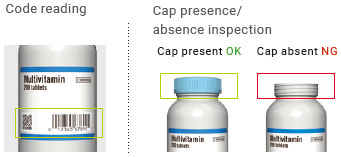
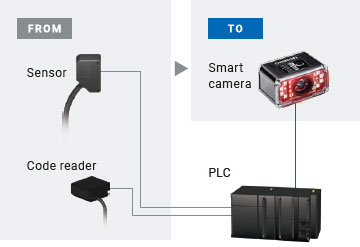
To perform a simple inspection task - such as presence/absence detection, color detection, etc. - along with a code or character reading, a highly-functional sensor or a sensor combined with a code reader for each purpose would be required. The F430-F/F420-F Series successfully performs both functions, simplifying inspection tasks overall.
Wiring and installation space reduced by half
A single camera with smart camera and code reader functionalities halves the number of cables to the host device and the installation space.
Text and verification result output
The F430-F/F420-F Series can output character strings and code quality verification results, which is difficult with standard smart cameras. The output information can be used for traceability.
Example of output data
1. Result of inspection: OK/NG
2. Result of code reading: Character string
3. Result of verification: Quality grade of code
[Inspections | 03] The long-life autofocus lens provides long operational lifetime without the need for replacement
How long until the camera is replaced due to failure caused by focus changes?
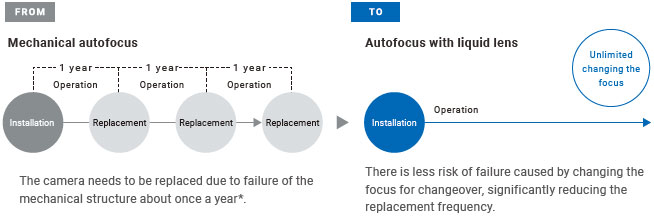
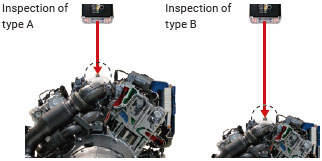
The F430-F/F420-F Series with a long-life liquid lens provides unlimited autofocus, easily focusing on different items just by switching the focus. The liquid lens greatly reduces the replacement frequency that is once every several months to several years with the mechanical autofocus lens.
Difference between mechanical autofocus and liquid lens autofocus
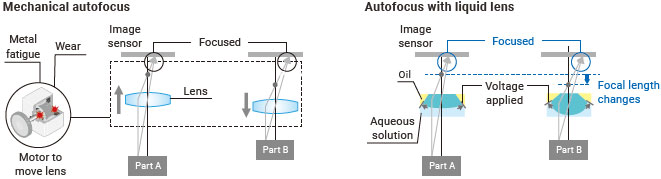
Mechanical autofocus uses a small motor as a major component. Metal fatigue and wear shorten the life of the camera, which requires replacement every year. The liquid autofocus lens can flexibly change its focal length without mechanical wear by applying voltage to change the internal oil and water shape.
* Calculated using Omron’s condition below.
Limit of standard mechanical autofocus : 50,000 operations
Usage condition: Focus is changed 200 times a day for 20 days a month. 200 operations x 20 days x 12 months =
48,000 operations » approximately 1 year.
Limit of standard mechanical autofocus : 50,000 operations
Usage condition: Focus is changed 200 times a day for 20 days a month. 200 operations x 20 days x 12 months =
48,000 operations » approximately 1 year.
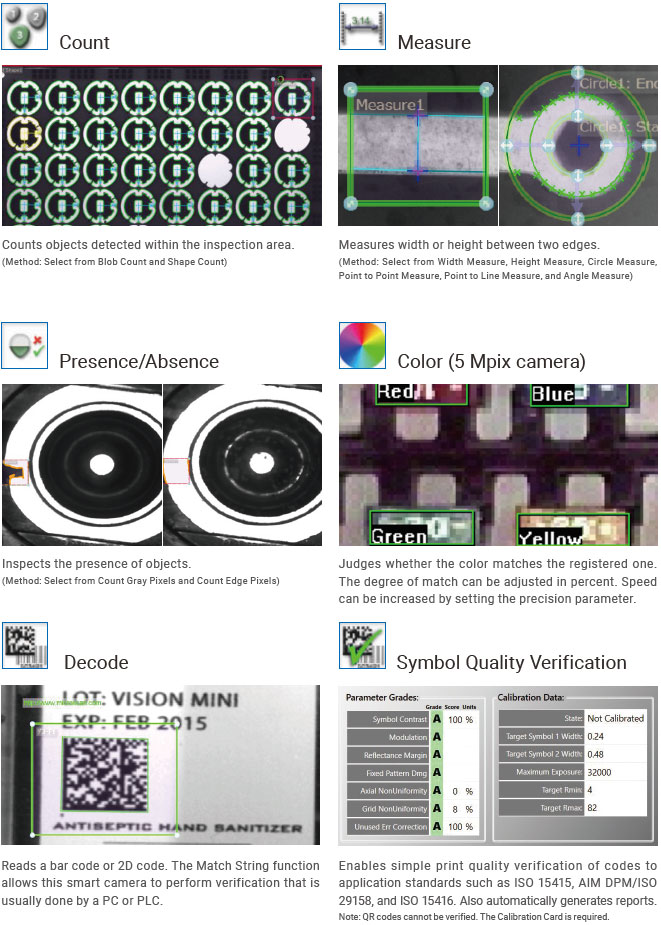
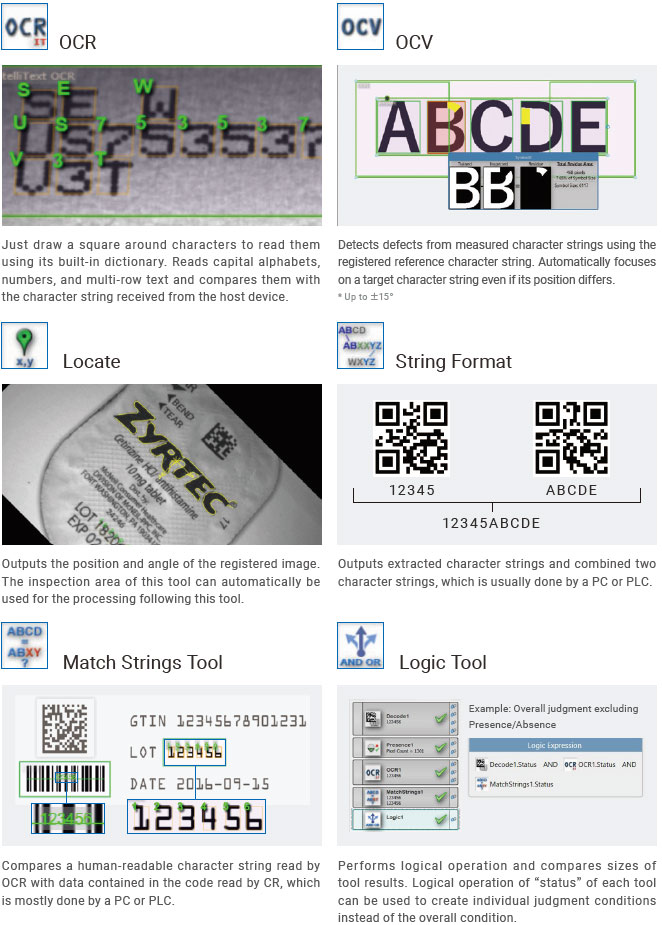
Tools
12 tools are provided.
The provided tools vary depending on the model. Refer to the datasheet for details.
Simple setup on a single screen AutoVISION Software
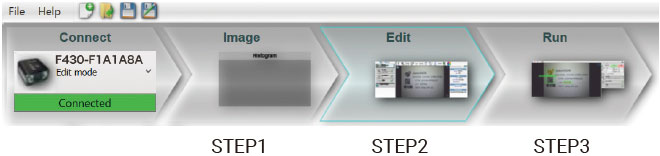
3-step easy setting
Follow the guide on the screen to start inspection in three steps: Image, Edit, and Run.
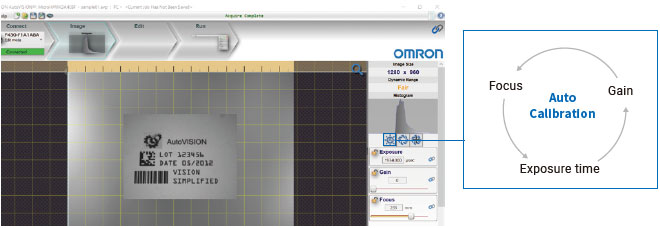
[STEP 1. Image] One click to optimize image
Place an object within a focal length and press the Autofocus button to optimize the focus and brightness of the inspection image.
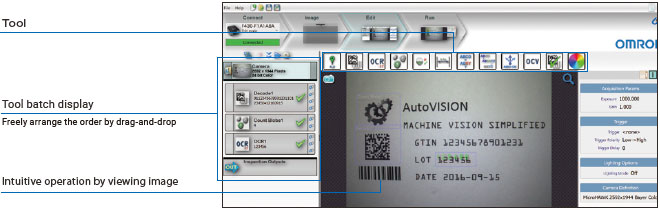
[STEP 2. Edit] Just select tools and specify inspection areas
Setup can be done by simply selecting tools and specifying the inspection areas. You can check the test measurement results on this screen and adjust the inspection range and the threshold by viewing the screen.
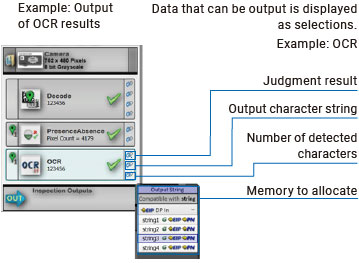
[STEP 2. Edit] Allocate outputs
Select values and memory areas for each tool to allocate outputs, reducing PLC connection design time. In addition to OK/NG results, measured values, code reading results, and OCR results can be output, which is useful for data collection.
[STEP 3. Run] One click to start inspection
Just press the Run button to start the inspection. Inspection results are displayed on the screen in real time.
[Utilization] Free software and materials available to support your learning
AutoVISION software is available for free. Visit your local omron website or ask to your omron representatives.
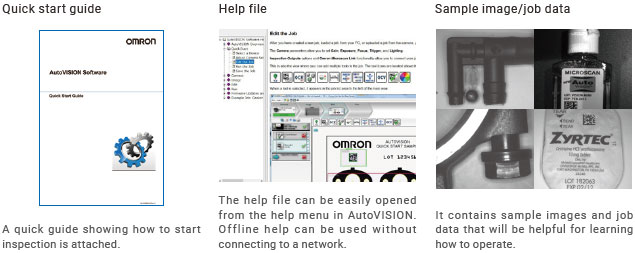
The quick start guide and sample image/job data attached with the software will help you use the software.
The software includes the help file, allowing you to refer to help without connecting to a network.
Examples of materials and data to support your learning
Easy-to-see display of inspection status WebMonitor Software
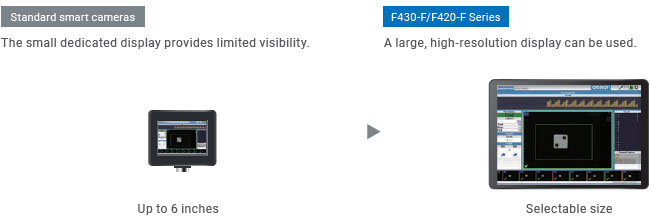
Improve usability with large display
Your tablet or PC with a web browser can be used as the display, providing much better visibility than small displays of standard smart cameras. Choose a device size to suit the installation environment and inspection images. Refer to the datasheet for browser requirements.
Customizable user interface to maximize usability of large screens
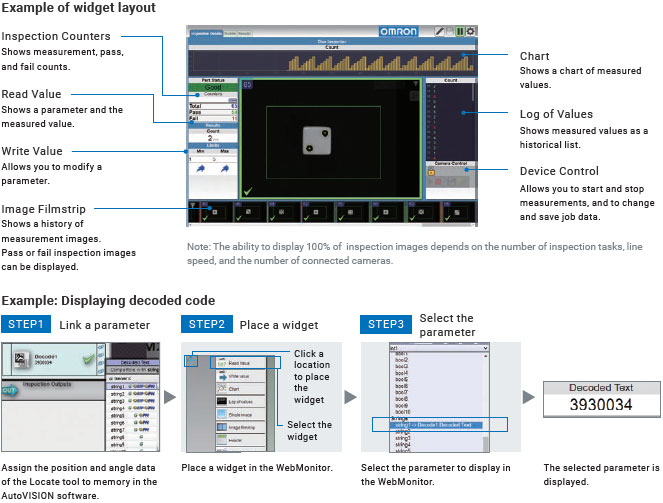
The WebMonitor software facilitates customization of the user interface. Simply select from various pre-installed widgets and place the widget. No programming is required.
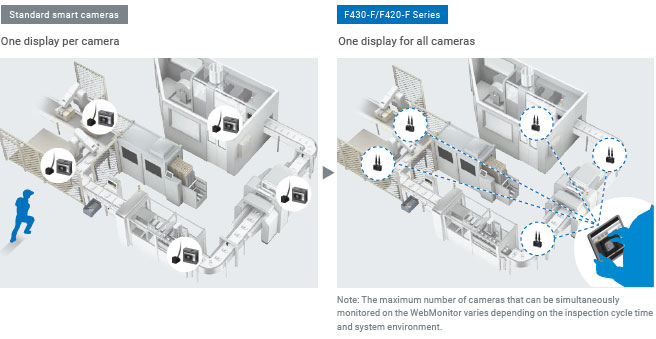
Reduce equipment costs by integrating monitoring of multiple cameras
Inspection status of multiple cameras can be monitored using a single device. Unlike standard smart cameras which require a display for each camera, the F430-F/F420-F Series requires only one display for all cameras, reducing not only initial and installation costs but also time to view each display.
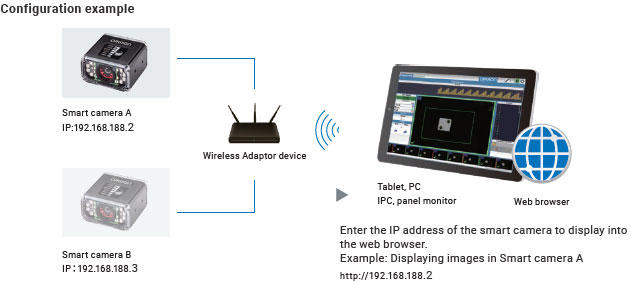
Web browser interface for easy integration of monitoring
The WebMonitor software pre-installed in the smart camera allows you to view inspection status simply by connecting your tablet or PC that has a web browser. When multiple smart cameras are monitored, the smart camera to display can be easily changed by entering its IP address in your web browser.
MicroHAWK F430-F / F420-F / F330-F / F320-F
- Brand: Omron
- Product Code: MicroHAWK F430-F / F420-F / F330-F / F320-F
- Availability: In Stock